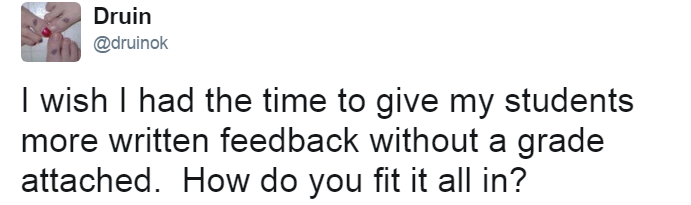
The question was born partly out of frustration of my limitations due to time, etc. I believe strongly in the power of formative assessment but I quickly get overwhelmed by all of the paper that comes with exit tickets, warmup slips, etc. I also believe in the power of feedback and I don't want my students to get their first feedback on a topic from a quiz/test, so I fight through all of those paper slips, write comments and individualized feedback on each one, and pass them back. (Thankfully via their table folders!!)
Many people chimed in with responses to my question - Thank you #MTBoS!! - But the one that stood out to me was this tweet from Kate

Quizster is a new app by a long-time math blogger and her husband. After checking it out and securing permission from our district director to try it out, I decided to test out Quizster with my AP Stat kiddos and a FRAPPY (aka an AP Free Response problem)
Set up was a breeze. Quizster walks you through the set-up, plus encourages you to create a student account so that you can see what the kids see. I tested it with both my cell phone and the webcam of my computer and it worked well with both. Finally it was time to test it out with my kiddos!
On block day, my kids are used to starting the day with a FRAPPY, but often I have them turn it in via their table folder and hopefully they will get it back within the next few days, depending on how behind I am on grading. With the Quizster app, the students did their work in their notebook, then snapped a photo to upload via the app's webpage on their cell phone browser / Chromebook. (They are working on a mobile app right now). Within minutes, I started getting notifications that I had papers to grade!

On the left, you can see my list of "to be graded" as denoted by the red circle. When I click on a student's name, their work appears (middle photo) and I choose 'Annotate'. On the right, you can see me writing the student feedback directly on their paper, just like I would traditionally. After clicking the "X" at the top right, my annotations are saved and there's a button to send my feedback to the student, then back to the "to be graded" list I go! :)
Some features I really like...
- Flexibility on grading - I can easily grade on the patio without papers flying everywhere!
- Flexibility in the classroom - After students submitted their photos, we were able to go over the AP rubric right away as a class, yet I was still able to later give personalized feedback to each student.
- Responsiveness - I really didn't know how easy the app would be to use or how well it would read my writing... it's extremely user friendly!
One drawback is that you do need to be connected to the internet and for students, that may mean use of their data plan if your school doesn't have accessible wifi for student devices. I had one student that chose to use the Chromebook camera and it worked just fine, but most kids just used their cell phones.
I'm really excited to use Quizster as we go into AP review. So far, my students have had very positive feedback as well! :)
